AutoCAD LT Alternatives for Contractors: View, Edit, or Full Draft
AutoCAD LT alternatives for contractors: view vs light edit vs full draft, DWG fidelity, BricsCAD, DraftSight, ZWCAD, progeCAD, NanoCAD, free 2D, and browser CAD (e.g. BravoCAD).

Contractors look for an AutoCAD LT alternative when seats cost too much for occasional use, installs on site PCs are a hassle, or the team only needs to open and tweak DWG plans, not run a full Autodesk office.
You do not need AutoCAD to work with DWG. Start with the job, then pick the tool class.
Who needs an LT alternative
Typical triggers:
- Subscription friction: yearly seats for people who draft a few hours a week
- License and install pain on locked or shared site machines
- Training time for staff who are not full-time drafters
- Missing civil/plan habits (maps, simple as-built edits) that you pay for elsewhere
If the question is only “what does AutoCAD cost,” see AutoCAD pricing. This article is about what to use instead or alongside LT.
Decide: view, light edit, or full draft
| Need | Practical path |
|---|---|
| View | Open, measure, print PDF. Free DWG viewer. No author seat. TrueView is a viewer, not an LT replacement. |
| Light edit | Move a label, shift a trench line, mark as-built, send DWG back. Browser CAD such as BravoCAD or a lean desktop seat for a few people. |
| Full draft | All-day production, heavy templates, plot styles, Xrefs. Desktop CAD (LT or a peer) on the machines that earn the seat. |
Most contractor teams mix these. Project managers view. Site leads light-edit. One or two people full-draft. If you are stuck on “viewer or author seat,” see DWG viewer vs editor.
Named desktop peers
These are common commercial desktop options people compare when leaving or avoiding AutoCAD LT. Pricing and DWG fidelity change by version. Always trial on your consultant files.
| Product | Rough fit | License shape (typical) |
|---|---|---|
| BricsCAD | Strong DWG-focused desktop CAD | Subscription and perpetual options by edition |
| DraftSight | Familiar 2D drafting feel; often pitched under LT list price | Subscription editions (check current SKUs) |
| ZWCAD | Desktop DWG drafting with a lower list price than full Autodesk stacks in many markets | Perpetual and subscription mixes by region |
| progeCAD | Classic AutoCAD-like 2D/3D desktop for installable offices | Often sold as perpetual (multi-year TCO pitch) |
| NanoCAD | Modular desktop CAD; free and paid tiers depending on modules | Free modules plus paid modules |
Pros (desktop peers in general)
- Installable drafting for full-time authors
- Often solid DWG compatibility for everyday 2D
- Pricing models that may beat LT for some team sizes (especially perpetual peers over several years)
Cons
- You still install and update every PC (painful on locked site machines)
- Templates, plot styles, and training usually need a rebuild
- Expensive if you buy author seats for people who mostly read drawings
- DWG “compatibility” claims still need a real-file trial (title blocks, Xrefs, fonts, plot styles)
DWG fidelity is the real risk
SERP and vendor pages all claim native DWG. The failure mode for contractors is not marketing copy. It is a consultant file that opens with missing fonts, broken Xrefs, or paper-space layouts that will not plot. Before you leave LT for a peer, run the trial checklist below on last month’s tender drawings, then reopen the saved file in the client’s Autodesk stack if you can.
Free 2D CAD, and when FreeCAD is the wrong job
LibreCAD and QCAD are fine for simple sketches, learning, and one offline PC. They are weaker on heavy consultant files and office print habits. Rarely enough as the only tool when you send official edits back.
FreeCAD is free and strong for parametric 3D parts. It is usually the wrong main tool for contractor DWG plan round-trips. Import/export via converters is fragile on real consultant drawings, and the learning curve is steep for people used to 2D LT. See FreeCAD for construction drawings.
Free viewers solve view-only needs. They do not replace LT for editing. Autodesk DWG TrueView is free and strong for measure/print/convert, and it still cannot save geometry edits. See free DWG viewers and DWG viewer vs editor.
Browser path (BravoCAD)
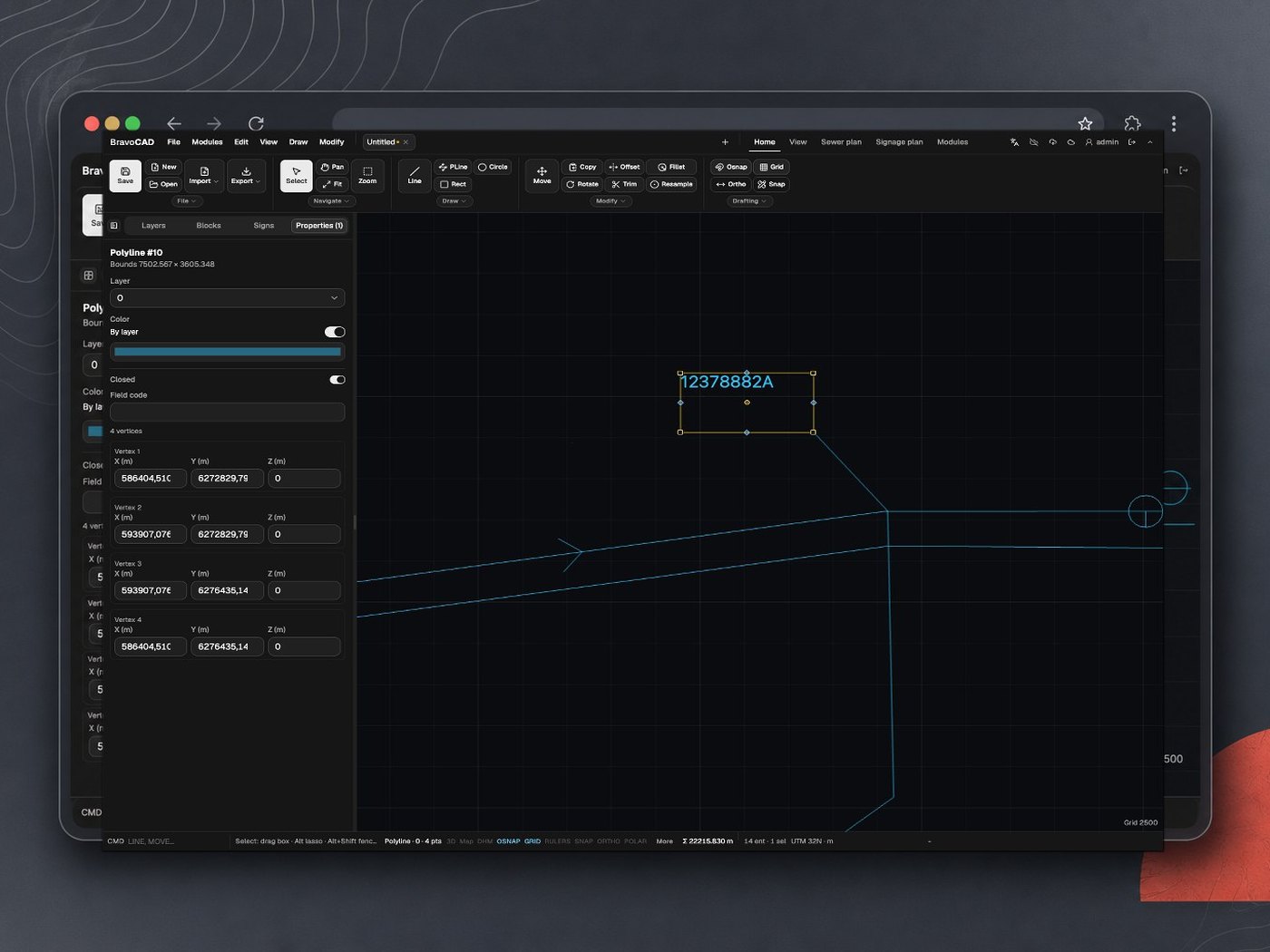
BravoCAD is CAD in the browser aimed at contractors and sewer (kloak) work. For many site and office flows it is a real LT alternative, not just a viewer.
Fits when
- You need fewer installs on locked or site PCs
- Light to medium DWG edits with map underlays for plan work
- 2D and 3D in one tool without rolling Autodesk to every laptop
- Import/export must match the files you actually get (including DWG and PDF)
Watch for
- Internet when you fetch and share files
- Office habits if everyone only knows AutoCAD today
Also see open DWG without AutoCAD for the view vs edit split.
Trial on your DWGs
Before you buy seats or switch the office:
- Pick two real consultant DWGs from a recent job (not vendor samples).
- Open, measure, edit one object, plot or PDF, save, reopen in the client’s tool if you can.
- Check layers, fonts, Xrefs, and paper space.
- Time how long a non-drafter needs for a small as-built markup.
Marketing pages pass. Your last tender file is the real test.
Bottom line
Match the tool to view, light edit, or full draft. Desktop peers (BricsCAD, DraftSight, ZWCAD, progeCAD, NanoCAD) can replace LT for authors who want classic installs. Free 2D and FreeCAD rarely cover production DWG round-trips alone. Browser CAD such as BravoCAD fits when installs and occasional seats are the pain. Count authors, not PCs, and trial on your own drawings.